Stay on track.
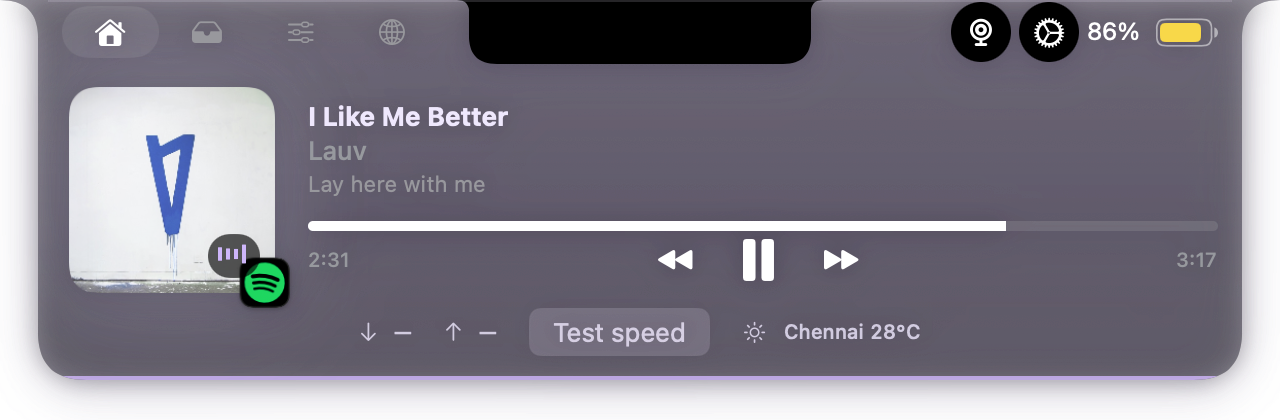
See what’s playing, pause or skip a track, and glance at its progress from Home.
FREE & OPEN SOURCE FOR MAC
Give your notch a job. Control music, grab a file, or check the weather without leaving what you’re doing.
Apple silicon · macOS 14 or later
INTERACTIVE PREVIEW Try the tabs above

Hover over the notch and switch tabs to get to what you need.
See what’s playing, pause or skip a track, and glance at its progress from Home.
Run a speed test from Home to measure upload and download in Mbps. See supported browser downloads in progress.
Enable local weather in Appearance and allow Location Services to see the city, temperature, and current conditions.
Drop files into the notch, then drag them out when you need to share or move them.
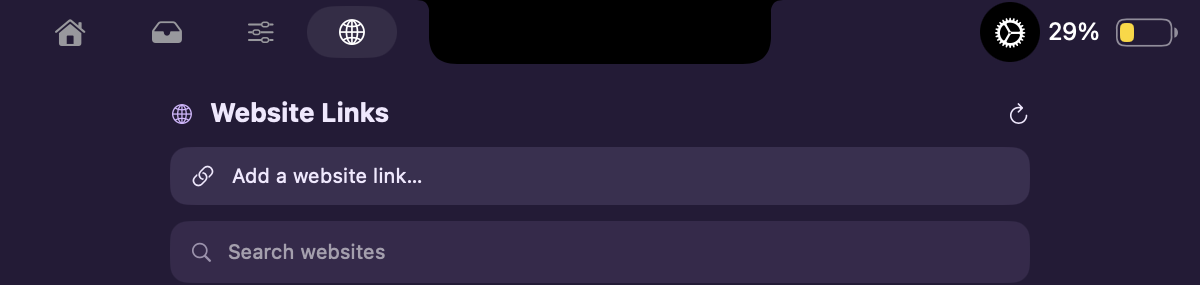
Save links in the Websites tab, search your list, and see whether a site responds.
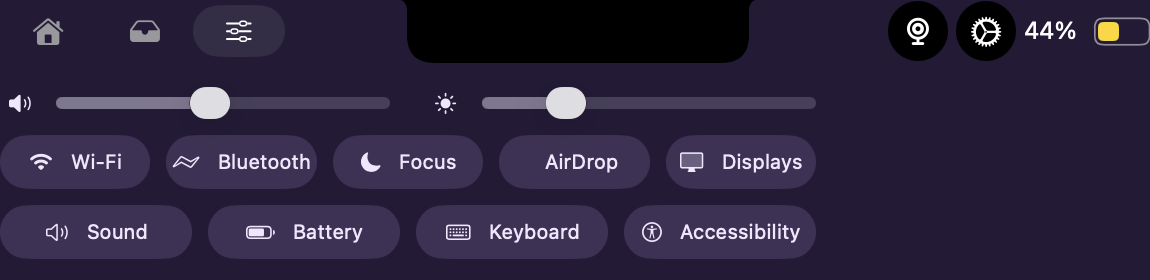
Adjust the purple glass transparency, reach supported Mac controls, and let a lavender cat blink and flick its tail while the notch is closed.
100% FREE
Every feature is free. No subscriptions or paid tiers. The code is available under GPLv3.